🧩 Firefox Browser Add Ons in a Kasm Container

📝 1. File Mapping
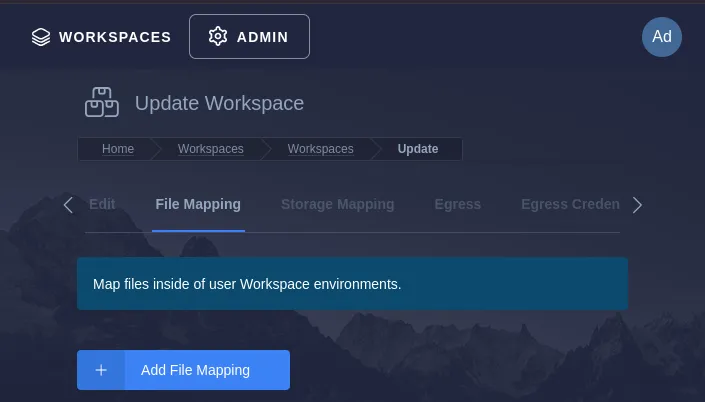
To get started, navigate to the workspace you would like to configure and choose "+ Add File Mapping":
📍 2. Set the Destination Path:
Within the Destination Path field, enter the following:
/etc/firefox/policies/policies.json
🔧 3. Configure the Policy
In the policies.json file, you will specify that the uBlock Origin extension should be force-installed. In the text field paste the following:
{
  "policies": {
    "ExtensionSettings": {
      "*": {
        "installation_mode": "blocked",
        "allowed_types": ["extension"]
      },
      "uBlock0@raymondhill.net": {
        "installation_mode": "force_installed",
        "install_url": "https://addons.mozilla.org/firefox/downloads/file/4261710/ublock_origin.xpi"
      }
    }
  }
}
✅ Outcome
The configuration should look like this:
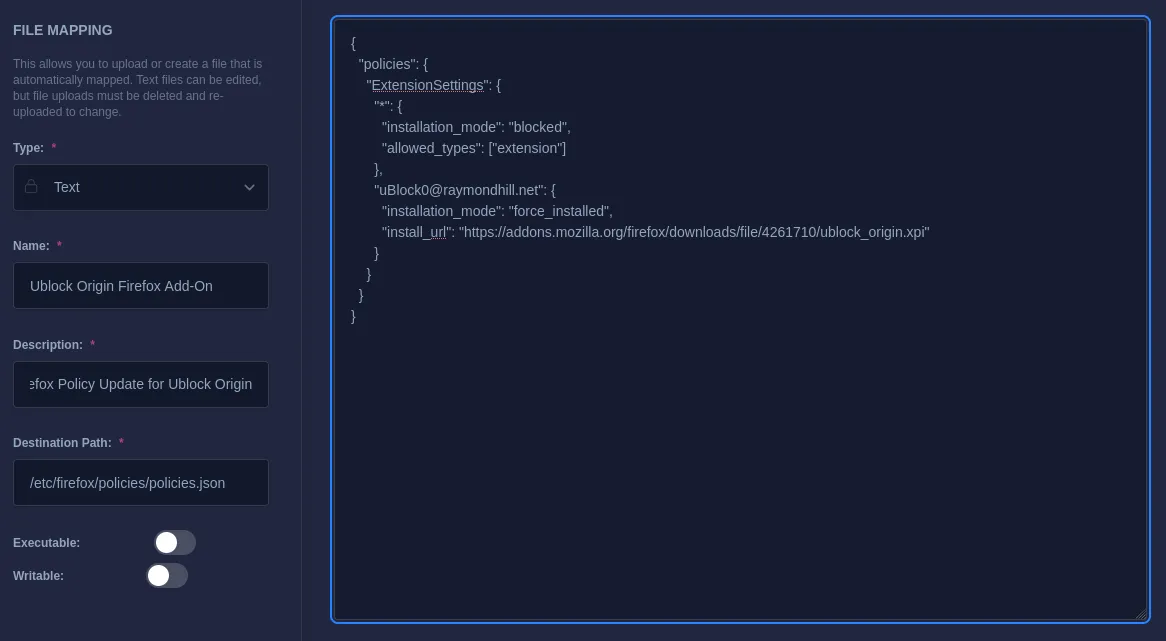
Once the policies.json file is correctly configured, uBlock Origin will be automatically installed when Firefox starts in the container. The configuration ensures that the extension is active without requiring manual installation each time you launch the workspace in Kasm.